The heartbeat of yourstudio operations.
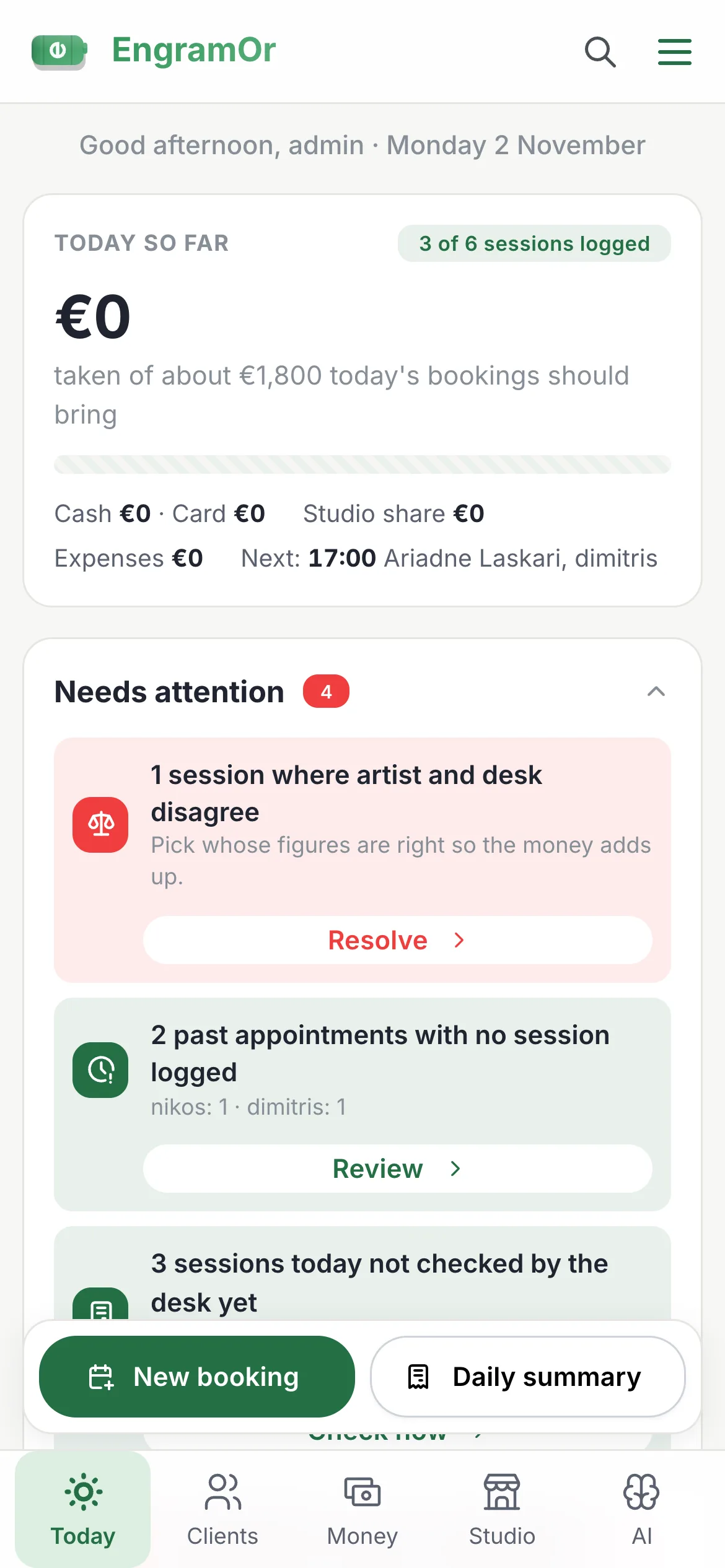
From the first booking request — or a DM your AI assistant turns into one — to the signed consent form and the next sitting, your studio runs itself.
A booking page that works while you work.
under the hood/
Each studio gets /book/<name>, plus an optional page per artist or specialist. You choose what you call your team ("Artist", "Nail technician", "Stylist", "Piercer", "Specialist"). Requests open by themselves, oldest first, with how long each has waited. Booking emails carry a calendar file and the consent link. The studio app installs with the studio's own name, logo and colour; customers sign in with an emailed code, a password or Google.
A booking page that looks like your studio.
under the hood/
Font pairs all carry Greek letters and are served by the app itself, so no request goes to Google. Page style, corners, cards, header, banner shade and the order of the sections can each be set by hand. Each link button (Instagram, TikTok, Facebook, website) gets its own colour and a 30-day tap count, counted without anything about the visitor.
Sell the extras without a single DM.
under the hood/
Each add-on has its own price and time, can differ per service, and can be optional, required, one of a group (gold or titanium) or team-only for the desk to add. Bookings keep the add-ons as they were chosen, so changing an add-on later never changes a booking already made. Artists with Artist Pro get the same for their own services.
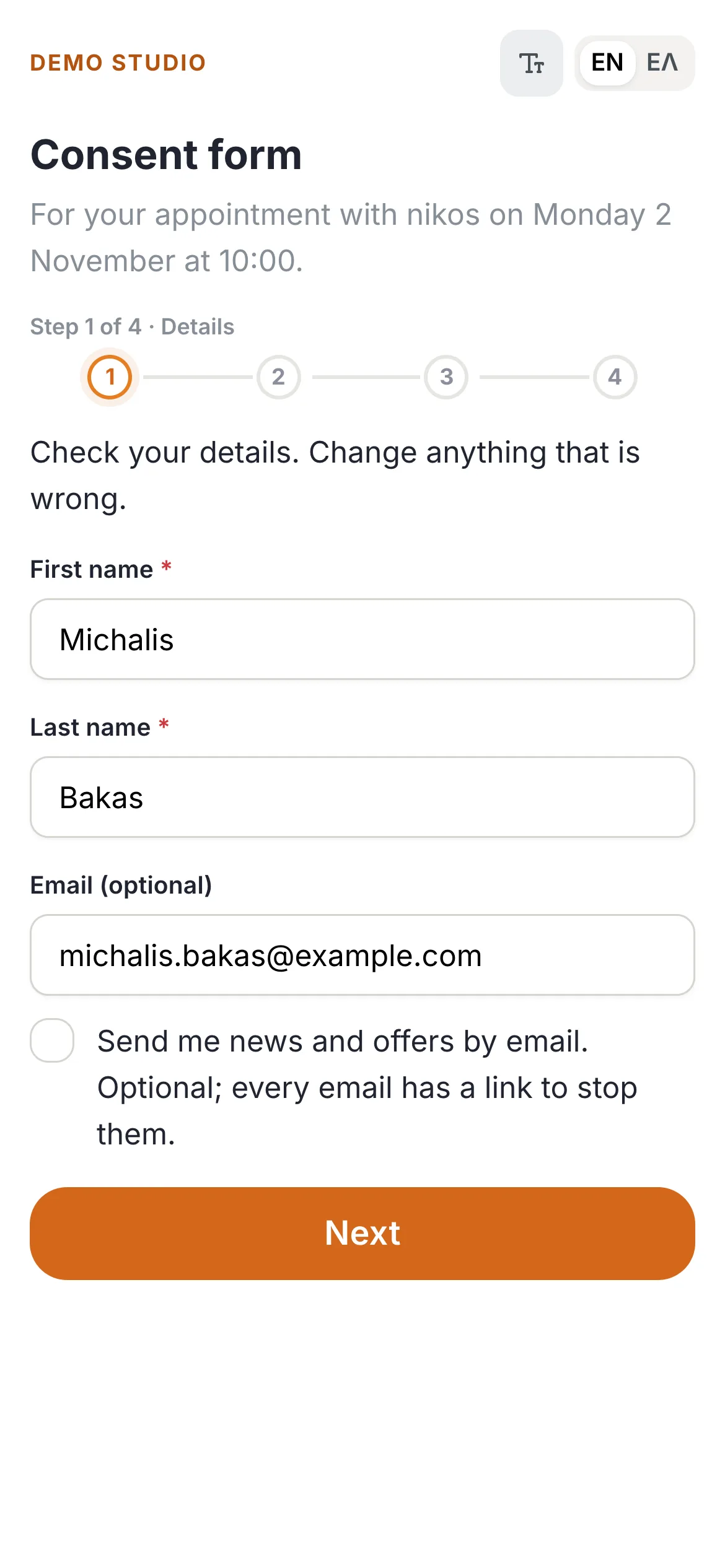
Paperless consent, signed before they sit down.
under the hood/
Steps: details, age, read, sign, check and send — page by page to fit any phone, with Undo and Clear on the signature. The signed PDF puts who signed on every page and adds a record page with the artist, method, time, an English and Greek declaration and SHA-256 fingerprints of the form and signature. A form per artist, phone and Instagram on the form, and optional backup of every signed PDF to Google Drive.
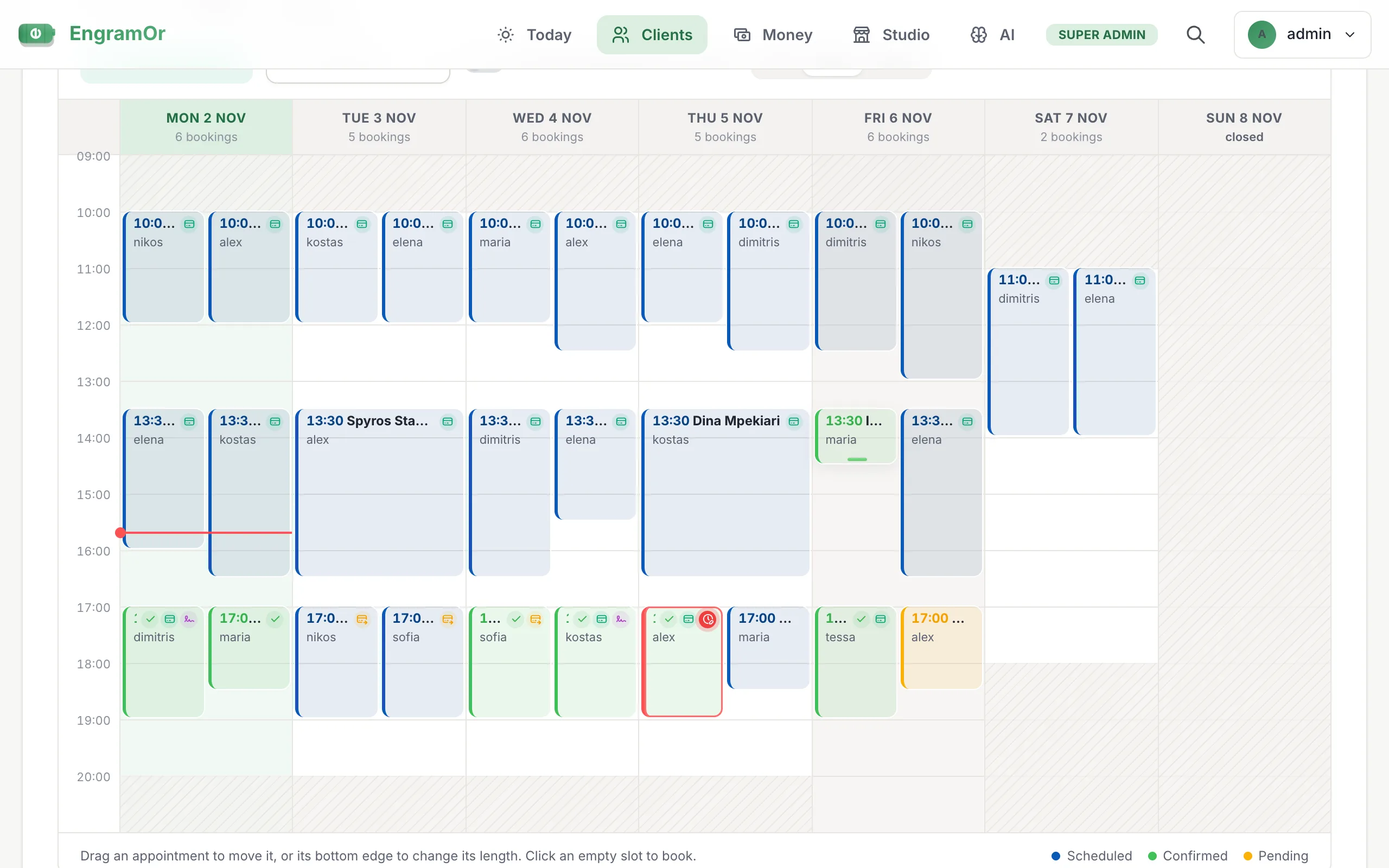
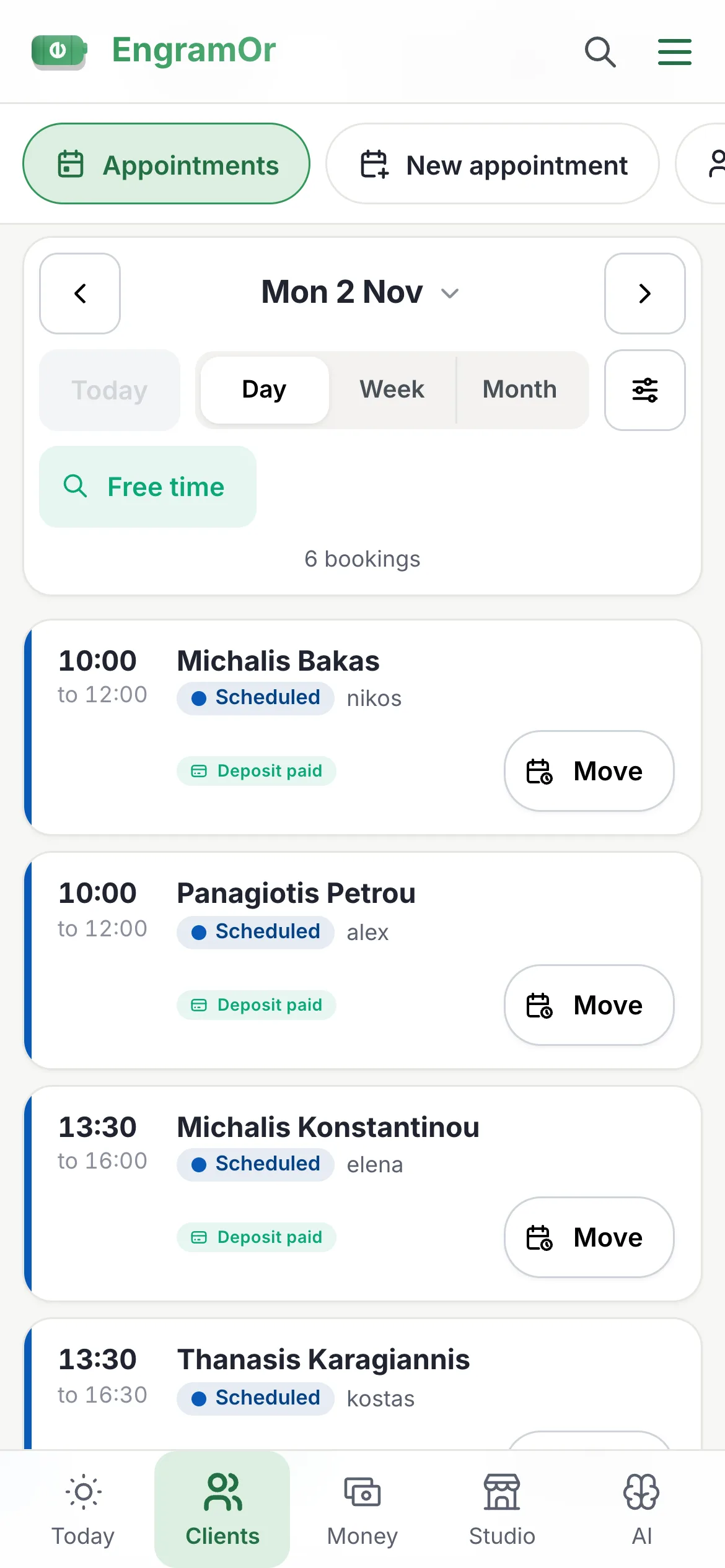
The whole floor on one screen.
under the hood/
Moves snap to the quarter hour and are confirmed first. When a customer asks for another time from their booking link, the appointment shows their message in a red box and the calendar block gets a red edge until the desk moves it or presses “Keep this time”. Booking emails carry a real calendar invitation, so Gmail and Outlook add it themselves — and a cancellation takes it off again.
Fewer no-shows. More second sittings.
under the hood/
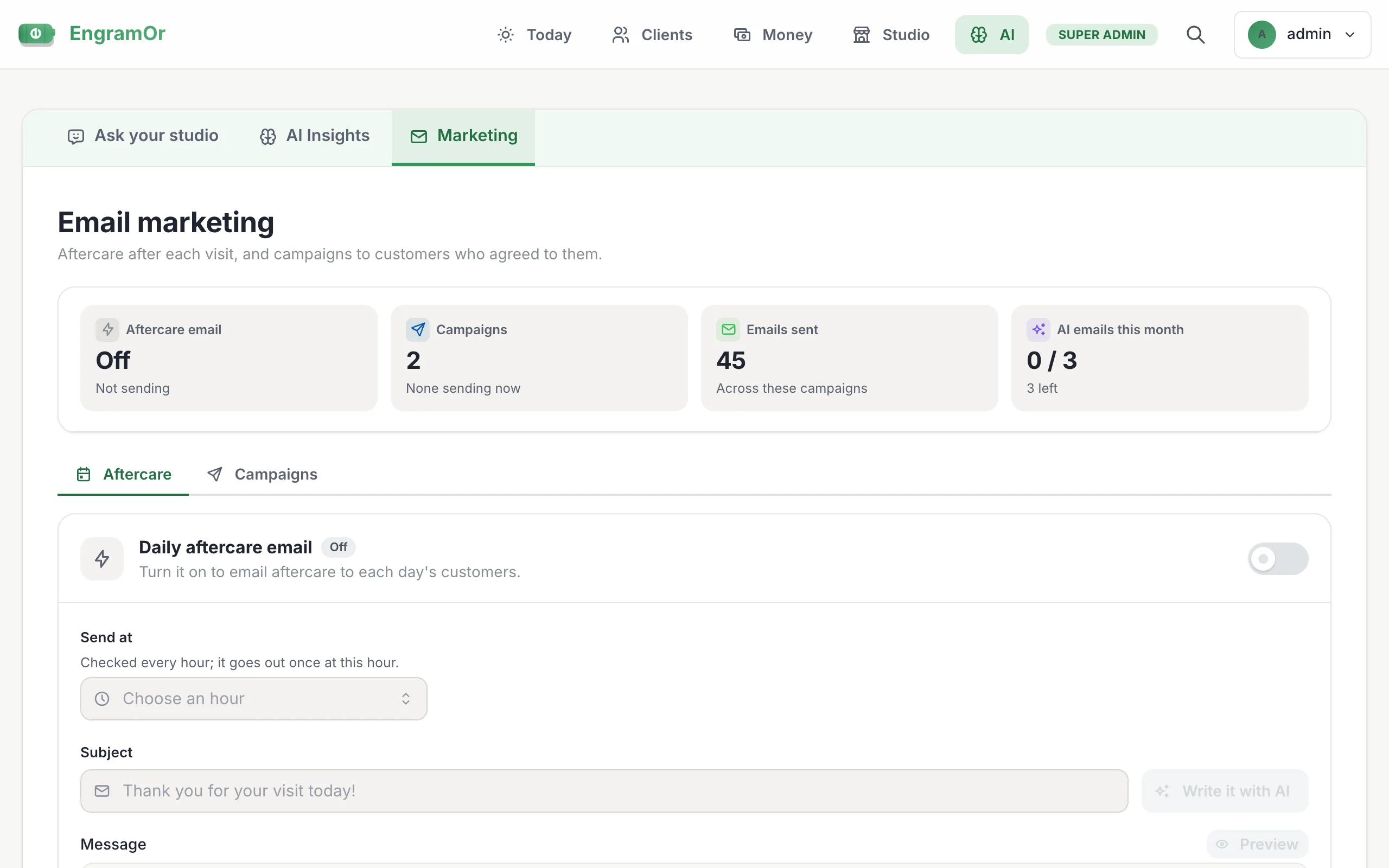
Each booking counts the consent, deposit and confirmation emails already sent. A cancelled slot is offered to the waitlist by email; the first to accept is booked. "Book again" fills in the customer, artist, length and price. Working hours, days off and guest-artist stays warn the team before a booking lands outside them.
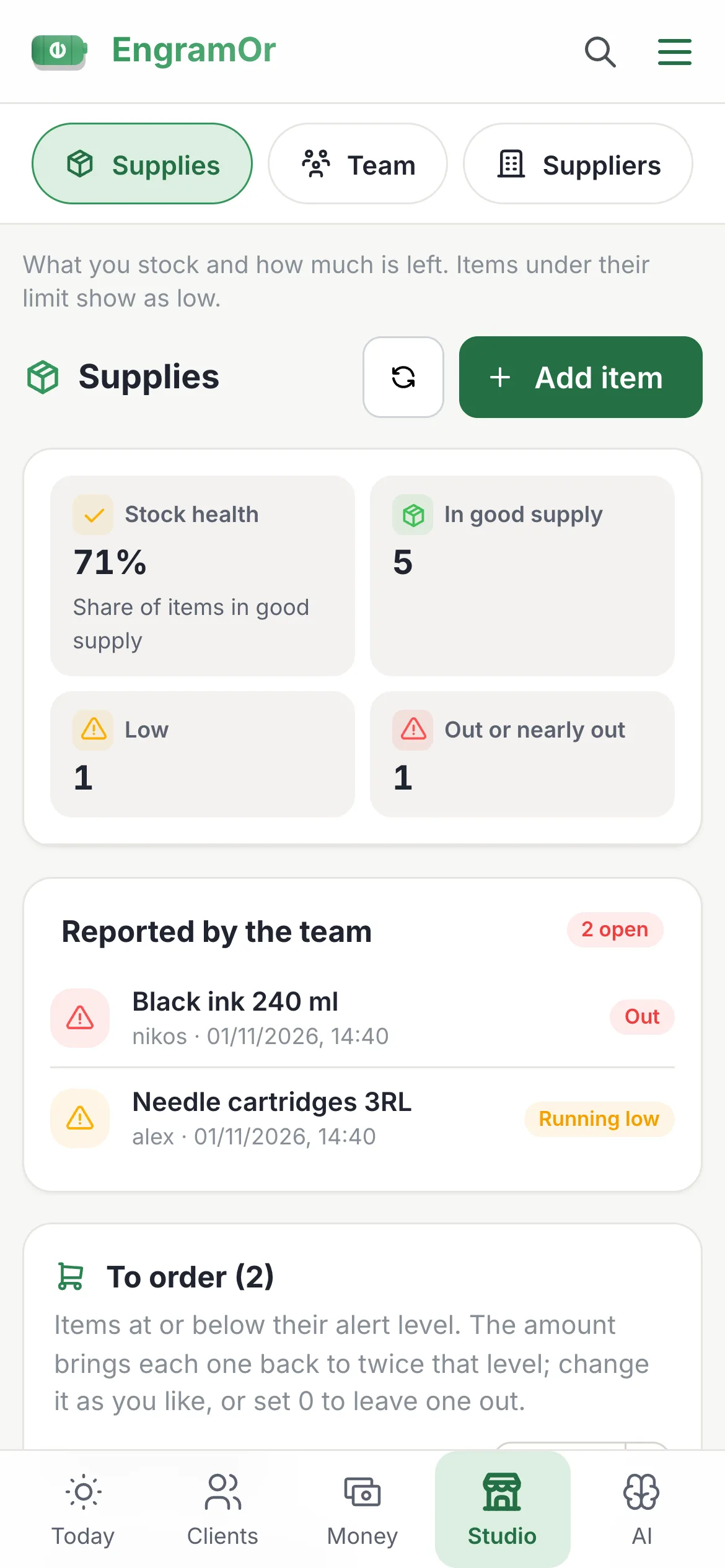
Maintain total inventory health across every station.
under the hood/
Each item has an alert level and a three-tier status (healthy, low, out). When an order arrives, one tap updates the stock and starts the supplier expense. Lots that expire soon are listed, and stock is looked at as part of the close-the-day checklist.
New artists up and running in minutes.
under the hood/
Team invitations and welcome emails come from the platform's address with a link to set a password. Customers import from a CSV; appointments from a Google, iCloud or Outlook calendar, a Calendly export or any spreadsheet, read by AI with a preview to tick first. Help in the app is a searchable list of "How do I…" tasks for each role, each with a button to the right screen.
Five pillars.one permanent record.
- 01Financial EngineToday, Blind Match, deals, deposits & receiptsMoney
- 02OperationsBooking page, add-ons, calendar, consent & CRMWorkflow
- 03Analytics & AIAI assistants, Insights, Outlook & reviewsAI
- 04InfrastructureRoles, backups, GDPR, offline & themesCore
- 05Artist ProOwn page, flash, shop, tips & guest spotsArtists
early access/
Ready whenyour studio is.
Thirty days free for tattoo, piercing, nail and beauty studios. Early studios keep a lifetime early-bird rate.